Then Click Here to Open Telegram
If not, follow the steps below
Join Our Private Petkus Wellness Telegram Group in 3 Easy Steps
Follow along the short video (takes about 2 minutes).
Why Join the Group?
- Get quick answers between calls from Dylan
- Already included in your membership — no extra cost
- Connect with others on the same journey
- Get easy reminders and updates about calls and new resources
Watch the Short Video to See the Exact Steps to Join!
Download Telegram and Set Up Your Account
Install the Telegram app on your phone .
Click below to download Telegram for your device and follow the prompts to set up your account.
You can also add it on desktop, but ⚠️ you MUST activate your account on your phone before desktop will work.
Find Our Verification Bot (Digital Assistant – Petkus Wellness)
2.1: In Telegram, tap the search bar on the top and type in “PetkusWellnessBot” (it is all one word).
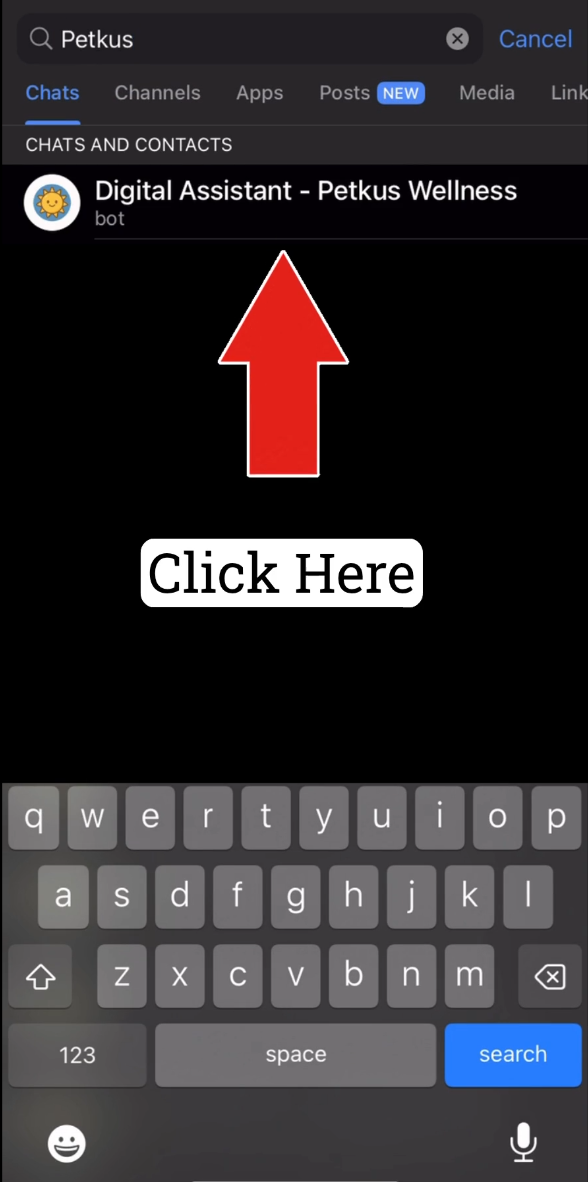
2.2: Select “Digital Assistant Petkus Wellness.”
If you can’t find it, use the button below.
Verify & Join the Group
3.1: Tap “Get Started” at the bottom of the chat with the Digital Assistant.
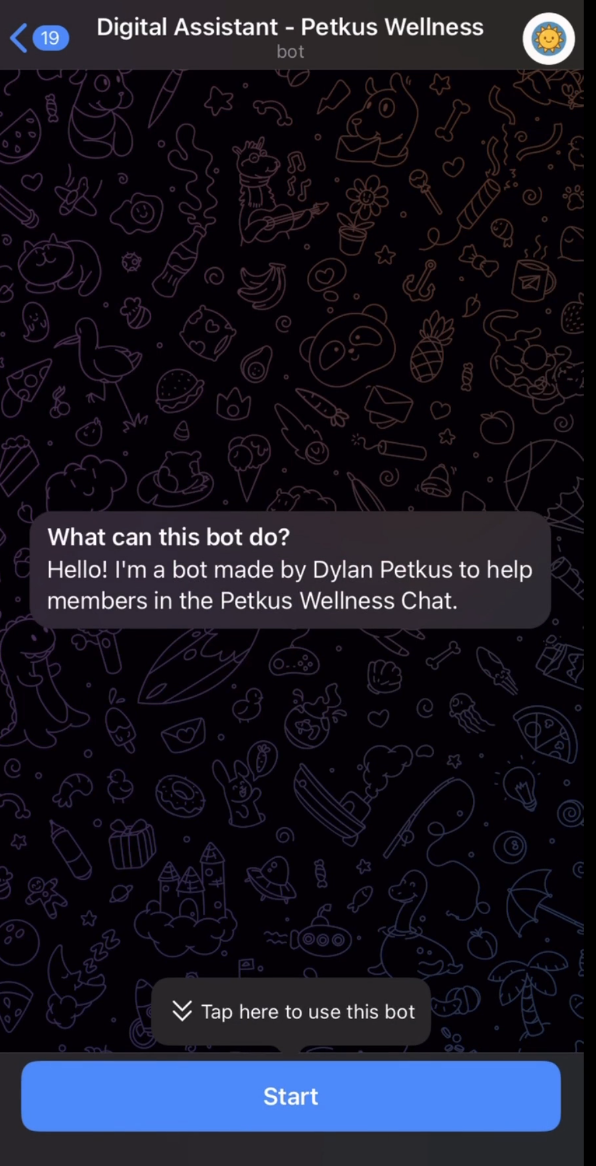
(If the verification process does not start correctly, simply type /restart.)
3.2: Enter your email you used to sign up for our program.
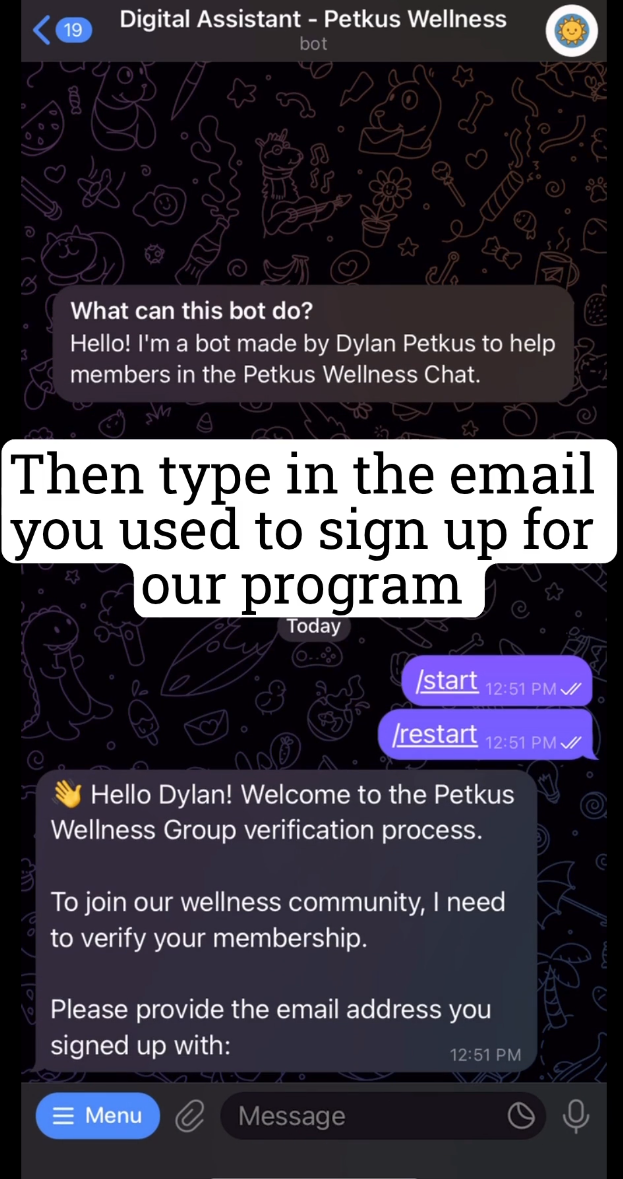
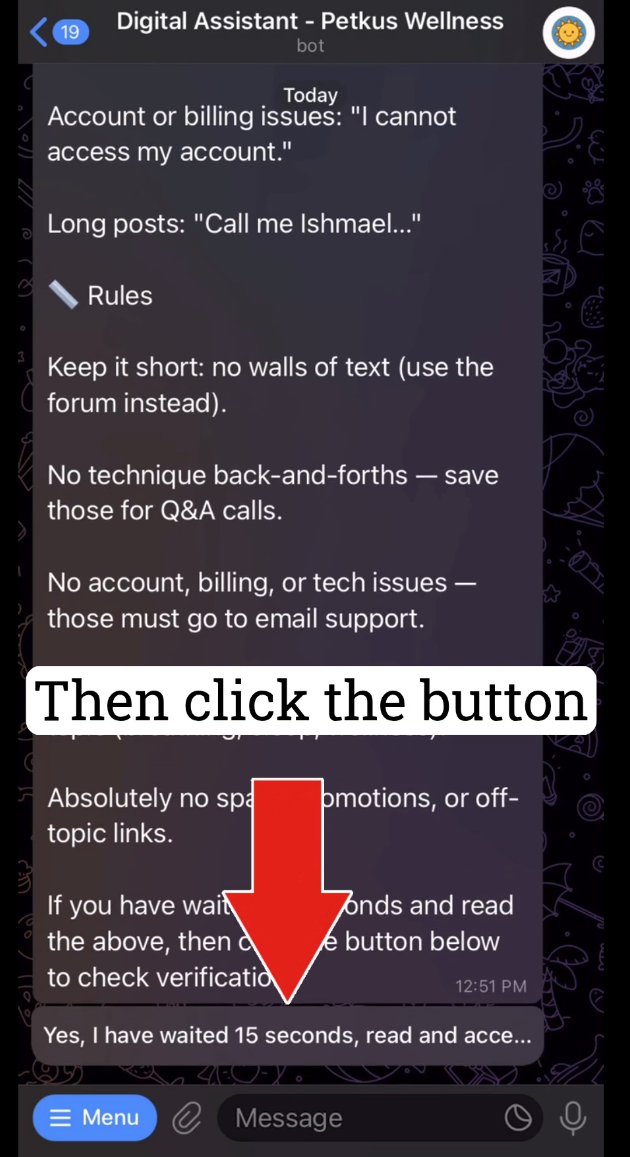
3.3: Once you provide your email, it take 15-20 seconds to read the group guidelines and click the button at the bottom to complete the verification.
3.4: If verified successfully, click the link the bot gives you to join the group.
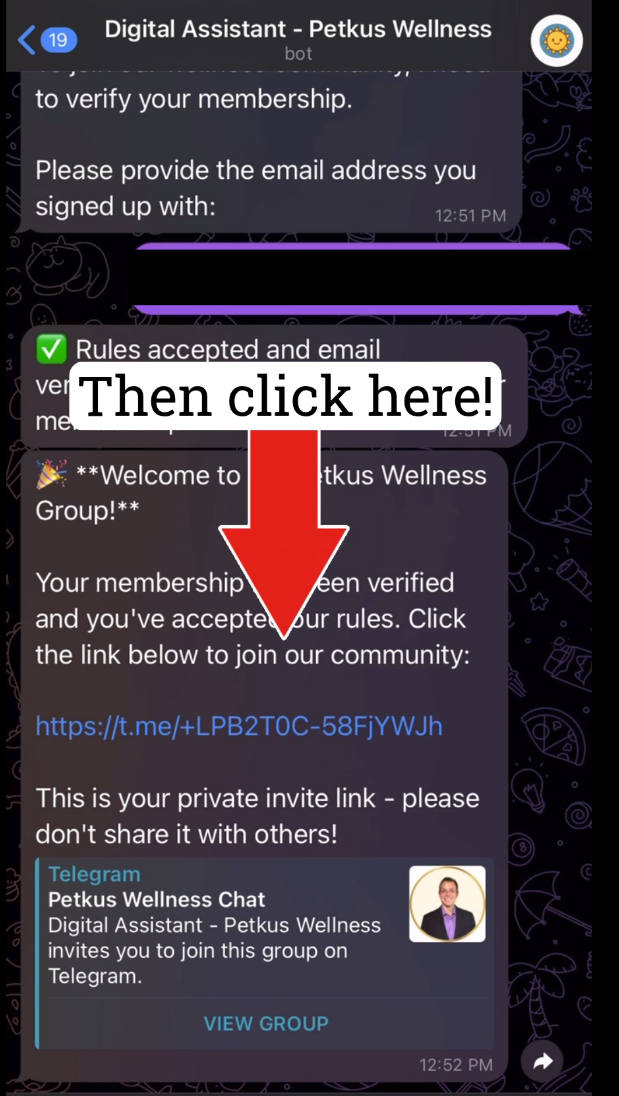
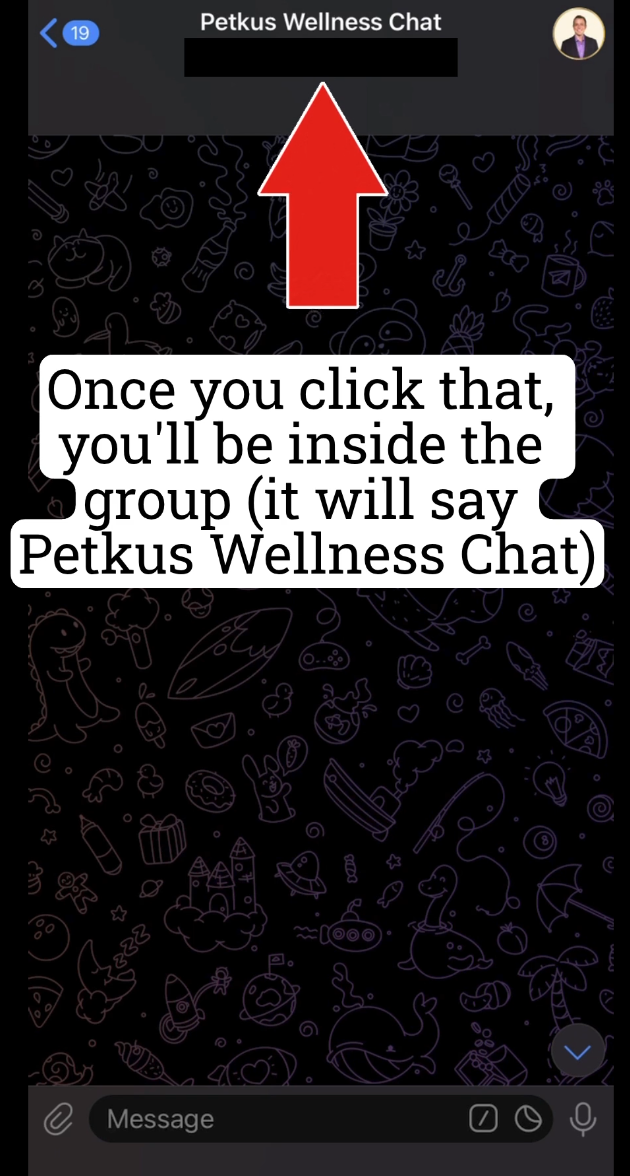
3.5: You have successfully joined the group if you see “Petkus Wellness Chat” at the top!
FAQ & Troubleshooting
It says the bot can’t find my membership.
Double-check you used the same email you purchased with. If you recently joined, wait 2–3 minutes and try again.
I can’t find the bot when I search.
Type it exactly: @PetkusWellnessBot, or tap this link: open in Telegram.
The Start button doesn’t show up.
Tap the blue “Start” at the bottom of the bot chat. If you don’t see it, type /restart and send.
I joined the group but don’t see messages.
Make sure notifications are enabled. In the chat, tap the group name ➜ Notifications and choose your preference.